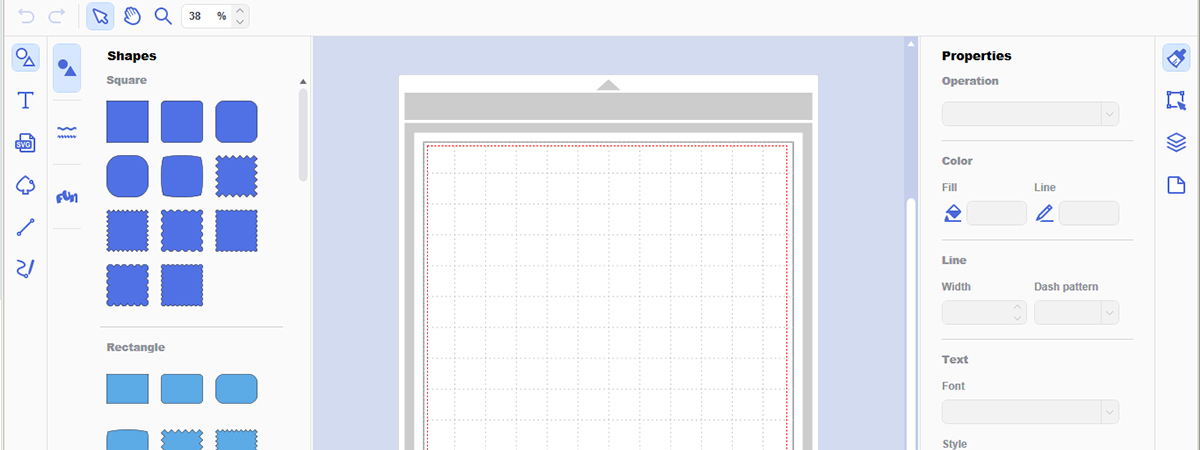
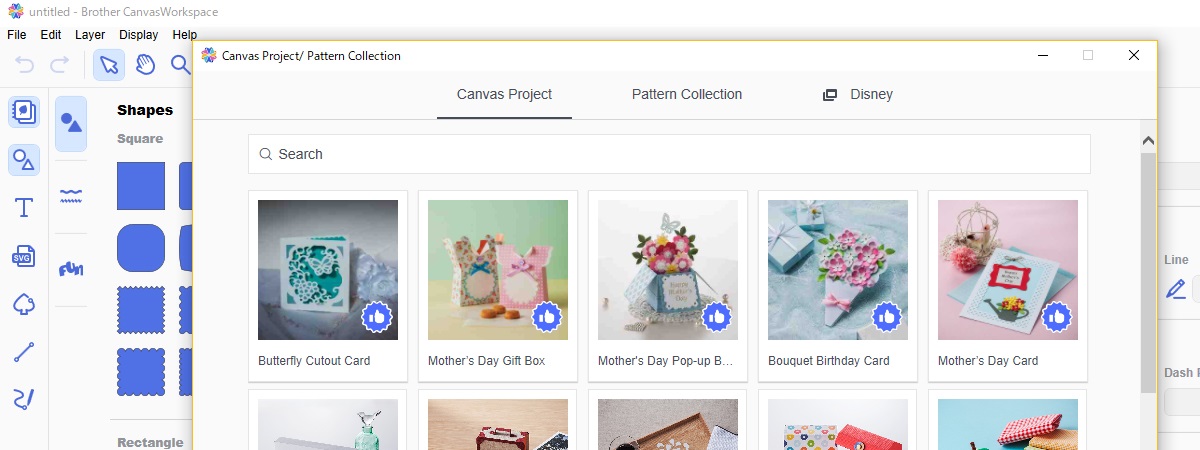
Advanced editing on PC
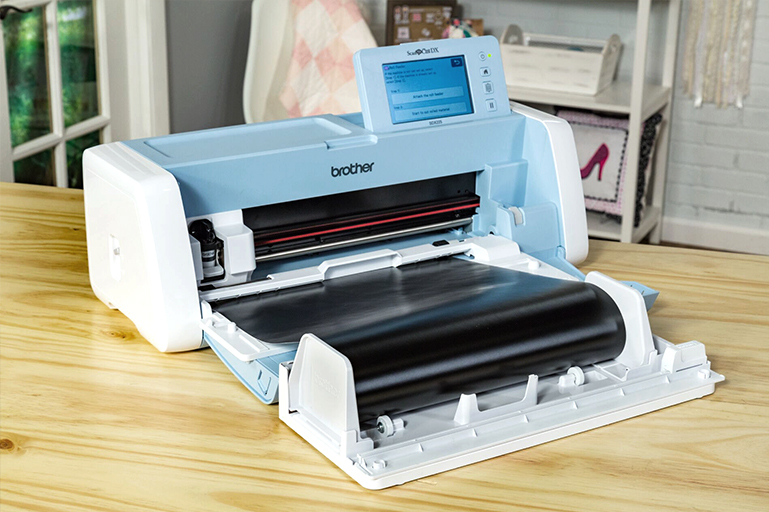
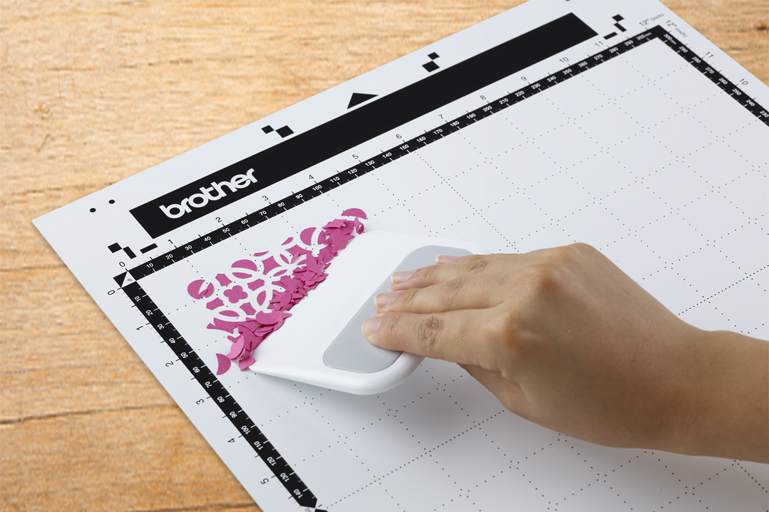
Create, edit, convert, and send cut data to and from the machine
***Important Information*** Maintenance of the CanvasWorkspace services
  • Artspira (Mobile App) Update Notice
    It’s time to install Artspira. New features of the Artspira Version 2.5.0
    ・Now more than 300 fonts are available.
    ・All of the “Basic Shapes” from CanvasWorkspace are now available on Artspira as well.
    To lean more or to download Artspira now, click here.
  • 3/19/2025
    Version 4.6.5 was released. It's already updated automatically. For details, read the Release Notes.
  • Artspira (Mobile App) Update Notice
    Check out Artspira Version 2.3.3!
    ・Landscape mode
    The screen adapts to your device's orientation. You can also rotate the artboard while editing. Please note that Landscape mode is exclusive to tablet device.
    ・Disney designs in Artspira
    Over 1,500 embroidery and cutting designs are now available! Join Artspira+ for discounted prices.
    Please note that Disney designs are available only in certain areas.
    Please install or update to version 2.3.3 from your app store (App Store or Google Play) to enjoy the latest features.
    Application details
  • 9/21/2021
    To maintain best performance for ScanNCut DX models, please visit the Brother support website for current software and utilities updates.
  • Information
    Disney patterns are resizable and can be flipped/mirrored. For previously activated collections, you will need to redownload and make sure you install the latest firmware in the machine.
  • Artspira (Mobile App) Update Notice
    It’s time to install Artspira. New features of the Artspira Version 2.5.0
    ・Now more than 300 fonts are available.
    ・All of the “Basic Shapes” from CanvasWorkspace are now available on Artspira as well.
    To lean more or to download Artspira now, click here.
  • 3/19/2025
    Version 4.6.5 was released. It's already updated automatically. For details, read the Release Notes.
  • Artspira (Mobile App) Update Notice
    Check out Artspira Version 2.3.3!
    ・Landscape mode
    The screen adapts to your device's orientation. You can also rotate the artboard while editing. Please note that Landscape mode is exclusive to tablet device.
    ・Disney designs in Artspira
    Over 1,500 embroidery and cutting designs are now available! Join Artspira+ for discounted prices.
    Please note that Disney designs are available only in certain areas.
    Please install or update to version 2.3.3 from your app store (App Store or Google Play) to enjoy the latest features.
    Application details
  • Artspira (Mobile App) Update Notice
    Introduction of Artspira Version 2.1.0
    Gallery feature added.
    ・Share your Artspira finished projects and designs with those who follow you! After posting your projects, you can view them in your gallery feed and make edits, add a title and tag for easier searching, and link your Artspira design so others can use the same design. You can also mark your posts private or public! Add a profile image, a short bio, and browse other makers and projects.
    ・Artspira annual subscription plan now available (log in to the app on your mobile or tablet to take advantage of the yearly subscription rate) .
    Artspira is only available on mobile and tablet devices (a desktop version is not currently available).
    Please note that the Artspira+ subscription plan and free Gallery feature are only available in certain areas.
    To learn more or to download Artspira now, click here.
  • Artspira (Mobile App) Update Notice
    Check out Artspira ver2.0! You can enhance your Artspira experience with a Brother subscription plan named Artspira+* With Artspira+, unlimited designs, more editing tools, features and more cloud storage are available. See below to know what you can make with Artspria+.
    Application details.
    *Please note that Artspira+ is available only in certain areas.
    Click here to see countries/regions.
  • 10/3/2023
    Version 4.6.4 was released. It's already updated automatically. For details, read the Release Notes.
  • 6/13/2023
    Version 4.6.3 was released. It's already updated automatically. For details, read the Release Notes.
  • 3/30/2023
    Artspira (Mobile App) Update Notice
    ・Added Design Editor for cutting and embroidery machines. You can add multiple designs and text, edit, change color and size.
    ・Added Line Art Tracing for cutting machines. You can create cut designs with images imported from your phone or tablet.
    ・Improved functionality. Visit the below web page to learn more:
    Application details
  • 1/24/2023
    Version 4.6.2 was released. It's already updated automatically. For details, read the Release Notes.
  • Artspira (Mobile App) Update Notice
    ・*Added login with CanvasWorkspace ID to the login screen. *US only
    ・Improved performance of current features.
  • 10/27/2022
    Version 4.6.1 was released. It's already updated automatically. For details, read the Release Notes.
  • Mobile App Release Notice
    Check out Artspira! Brother's new app. ・See what you can make possible with Artspira mobile app! ・Works with any Brother embroidery & craft Wireless LAN compatible machine (including ScanNCut DX!). Visit the below web page to learn more:
    Application details Not available in some regions
  • 9/22/2022
    Version 4.6.0 was released. It's already updated automatically. For details, read the Release Notes.
  • 1/20/2022
    Version 4.5.2 was released. It's already updated automatically. For details, read the Release Notes.
  • 9/21/2021
    To maintain best performance for ScanNCut DX models, please visit the Brother support website for current software and utilities updates.
  • 8/5/2021
    Version 4.5.0 was released. It's already updated automatically. The Privacy Policy have been changed. For details, read the Release Notes.
  • 4/26/2021
    Version 4.4.0 was released. It's already updated automatically. For details, read the Release Notes.
  • Version 4.3.0 was released. It will update automatically. The Terms and Conditions have been changed. For details, read the Release Notes.
  • Version 4.2.3 was released. It's already updated automatically.
  • Version 4.2.2 was released. It's already updated automatically. The Terms and Conditions have been changed.
  • Version 4.2.0 was released. It's already updated automatically. For details, read the Release Notes.
  • Information
    Disney patterns are resizable and can be flipped/mirrored. For previously activated collections, you will need to redownload and make sure you install the latest firmware in the machine.
  • Version 4.1.1 was released. It's already updated automatically. For details, read the Release Notes.
  • Version 4.1.0 was released. It's already updated automatically. For details, read the Release Notes.
  • Version 4.0.0 was released. It's already updated automatically. For details, read the Release Notes.
  • Version 3.2.4 was released. It's already updated automatically. For details, read the Release Notes.
  • Version 3.2.3 was released. It's already updated automatically. For details, read the Release Notes.
  • Version 3.2.2 was released. It's already updated automatically. For details, read the Release Notes.
  • Version 3.2.1 was released. It's already updated automatically. For details, read the Release Notes.
  • Version 3.2.0 was released. It's already updated automatically. For details, read the Release Notes.
  • Software updates for some ScanNCut models have been released. For details, check Brother Solutions Center.
  • Version 3.1.2 was released. It's already updated automatically. For details, read the Release Notes.
  • Version 3.1.1 was released. It's already updated automatically. For details, read the Release Notes.
  • Version 3.1.0 was released. It's already updated automatically. For details, read the Release Notes.
  • Version 3.0.4 was released. It's already updated automatically. For details, read the Release Notes.
  • Version 3.0.3 was released. It's already updated automatically. For details, read the Release Notes.
  • Version 3.0.2 was released. It's already updated automatically. For details, read the Release Notes.
  • Version 3.0.1 was released. It's already updated automatically. For details, read the Release Notes.
  • Version 3.0.0 was released. It's already updated automatically. For details, read the Release Notes.
  • Version 2.8.1 was released. It's already updated automatically. For details, read the Release Notes.
  • Version 2.8.0 was released. It's already updated automatically. For details, read the Release Notes.
  • Version 2.7.0 was released. It's already updated automatically. For details, read the Release Notes.
  • Version 2.6.2 was released. It's already updated automatically. For details, read the Release Notes.
  • Version 2.6.1 was released. It's already updated automatically. For details, read the Release Notes.
  • Version 2.6.0 was released. It's already updated automatically. For details, read the Release Notes.
  • Version 2.5.2 was released. It's already updated automatically. For details, read the Release Notes.
  • Version 2.5.1 was released. It's already updated automatically. For details, read the Release Notes.
  • Version 2.5.0 was released. For details, read the Release Notes.
  • Version 2.4.4 was released. For details, read the Release Notes.
  • Version 2.4.3 was released. For details, read the Release Notes.
  • Information
    ScanNCut Type Converter has been released. This application is used to create cutting data for character patterns from TrueType fonts installed on your computer. For detail, check Brother Solutions Center.
  • Version 2.4.2 was released. For details, read the Release Notes.
  • Version 2.4.1 was released. For details, read the Release Notes.
  • Version 2.4.0 was released. For details, read the Release Notes.
  • Version 2.3.3 was released. For details, read the Release Notes.
  • Version 2.3.2 was released. For details, read the Release Notes.
  • Software updates for some ScanNCut models have been released. For details, check Brother Solutions Center.
  • Software updates for some ScanNCut models have been released. For details, check Brother Solutions Center.
  • Version 2.3.1 was released. For details, read the Release Notes.
  • Version 2.3.0 was released. For details, read the Release Notes.The Terms and Conditions have been changed.
  • Software updates for some ScanNCut models have been released. For details, check Brother Solutions Center.
  • Version 2.2.1 was released. For details, read the Release Notes.
  • 2/11/2016
    Software updates for some ScanNCut models have been released. For details, check Brother Solutions Center.
  • Version 2.2.0 was released. For details, read the Release Notes.
  • 12/17/2015
    Software updates for some ScanNCut models have been released. For details, check Brother Solutions Center.
  • 12/10/2015
    Version 2.1.2 was released. For details, read the Release Notes.
  • 11/30/2015
    Version 2.1.1 was released. For details, read the Release Notes.
  • 10/1/2015
    Version 2.1.0 was released. For details, read the Release Notes.
  • 9/1/2015
    Version 2.0.0 was released. For details, read the Release Notes.The Terms and Conditions have been changed.
  • 8/4/2015
    A font (FO-W013:Belgium) was added to the [Text] category.
  • 7/10/2015
    Version 1.4.2 was released. For details, read the Release Notes.
  • 7/8/2015
    A font (FO-W012:Cairo) was added to the [Text] category.
  • 6/10/2015
    Version 1.4.1 was released. For details, read the Release Notes.
  • 5/13/2015
    A font (FO-W010:Hungary) was added to the [Text] category.
  • 4/13/2015
    Version 1.4.0 was released. For details, read the Release Notes.
  • 3/11/2015
    A font (FO-W008:Liverpool Italic) was added to the [Text] category.
  • 2/12/2015
    A font (FO-W007:Florida Bold) was added to the [Text] category.
  • 1/14/2015
    A font (FO-W006:Ecuador) was added to the [Text] category.
  • 11/27/2014
    Version 1.3.2 was released. For details, read the Release Notes.
  • 10/30/2014
    Version 1.3.1 was released. For details, read the Release Notes.
  • 10/1/2014
    Version 1.3.0 was released. For details, read the Release Notes.
  • 8/25/2014
    Version 1.2.1 was released. For details, read the Release Notes.
  • 7/31/2014
    Version 1.2.0 was released. For details, read the Release Notes.
  • 6/16/2014
    Version 1.1.3 was released. For details, read the Release Notes.
  • 3/13/2014
    Version 1.1.2 was released. For details, read the Release Notes.
  • 2/3/2014
    Version 1.1.1 has been released for supporting Japanese.
  • 1/20/2014
    Version 1.1.0 has been released for supporting German/Dutch/Italian/Russian.
  • 11/8/2013
    ScanNCutCanvas has been officially released.

Close
We use cookies to process authorization of account users, to personalize content and ads, to provide social media features and to analyze our traffic. Cookies also allow us to share information about your site usage with our analytics partners. For more information, check out our cookie policy. To simply opt out, follow the link below. View more
Cookie Settings
Your Privacy
When you visit any web site, it may store or retrieve information on your browser, mostly in the form of cookies. This information might be about you, your preferences or your device and is mostly used to make the site work as you expect it to. The information does not usually directly identify you, but it can give you a more personalised web experience. Because we respect your right to privacy, you can choose not to allow some types of cookies. Click on the different category headings to find out more and change our default settings. However, blocking some types of cookies may impact your experience of the site and the services we are able to offer. More Information
Strictly Necessary Cookies
Always Active
These cookies are necessary for the website to function and cannot be switched off in our systems. They are usually only set in response to actions made by you which amount to a request for services, such as setting your privacy preferences, logging in or filling in forms. You can set your browser to block or alert you about these cookies, but some parts of the site will not then work. These cookies do not store any personally identifiable information.
Performance & Measurement Cookies
These cookies allow us to count visits and traffic sources so we can measure and improve the performance of our site. They help us to know which pages are the most and least popular and see how visitors move around the site. All information these cookies collect is aggregated and therefore anonymous. If you do not allow these cookies we will not know when you have visited our site, and will not be able to monitor its performance.
Settings will be reflected when the page is reloaded.
Accept Settings Close